
4 scenarios where you can use your phone at the wheel
There are about 1.7 million people carrying smartphones and 1.5 million registered vehicles on SA roads. Statistically there are more phones than cars – a potentially fatal combination.
The ongoing mobile phone detection camera roll-out means the rules are suddenly more prominent in our recent memory.
But laws banning motorists from holding and using a phone while driving have been in place in SA for almost two decades, with a handful of changes and updates made along the way.
And as our phones rapidly absorb more of what used to live in our wallets, the rules have had to keep being fine-tuned along the way.
Here are four times you can legally use your mobile phone while sitting behind the wheel of a running vehicle.
1. To pay
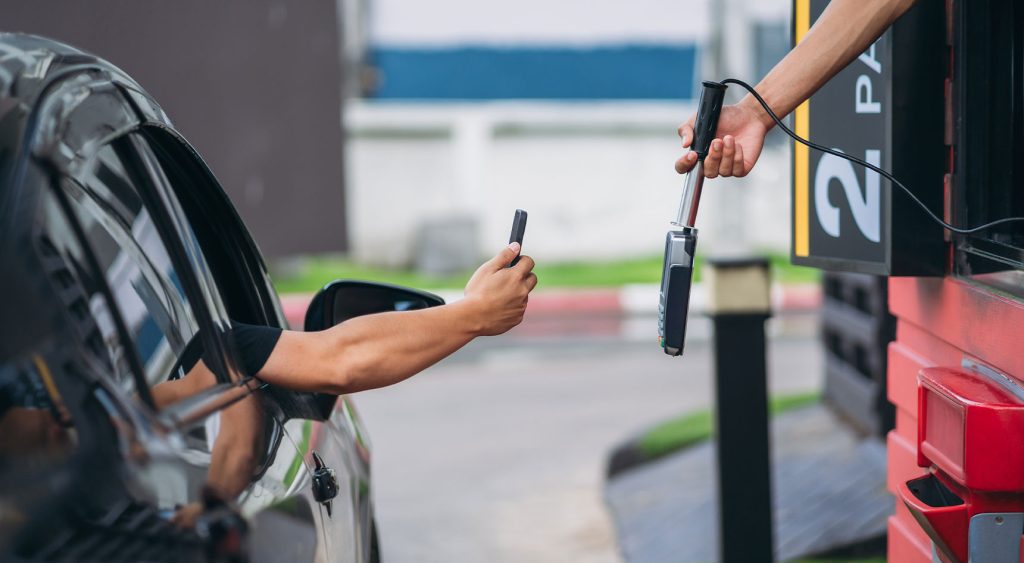
It’s been 10 years since tap-to-pay smartphone technology started nudging physical cards out of our wallets, making using a phone to pay while behind the wheel a bit of a grey area.
South Australian Road rules state that a driver can be stationary in a road-related area, engine running and keys in ignition – and legally hold their phone to make a payment – provided that the payment is required in the road related area. That can be when you’re at:
- A fast food drive-thru payment window, before stowing your phone (not on your lap) before driving on to collect your meal
- A car park boom gate requiring payment to exit
- A grocery service window to present a digital gift card, QR code or voucher
- A car wash payment terminal.
This means you can’t pay back your passenger for your share of the meal as you drive away, or at lights, intersections or times when stopped in traffic.
2. To show ID
In October 2017, SA became the first Australian state to launch a digital driver’s licence, pipping NSW by one month and giving wallet manufacturers further cause for anxiety.
Through the mySA GOV app, South Australians could leave their physical wallet at home, instead presenting their phone to verify age for entry into pubs and clubs, and for roadside police checks.
Like paying for goods and services, holding a phone for purposes of ID has been cleared up in the legislation. You may hold your phone in your hand when your car is stationary in a road-related area to:
- Open the mySA GOV app and show your digital driver’s licence when asked by police
- Display a digital pass (such as when entering a gated car park) or staff access card at a boom gate for entry or exit
- Present digital proof of concession at a car park entry for discounted rate
- Show a digital boat registration or permit (as of November 2024) at a boat ramp entry point.
Again, this doesn’t mean you can hold your phone when stopped in traffic or at traffic lights.
3. To get from A to B
Gone are the days of carefully plotting your route page by page using a Gregorys Street Directory (and definitely not balancing it precariously on your knees while driving).
While digital navigating has been around since the 1990s, messing about with navigation on any touch screen (phone or otherwise), is just as distracting as balancing the street directory on your knees.
Many cars on the road predate Apple CarPlay or Android Auto entirely. Even in newer cars, built-in map updates can cost hundreds of dollars and may already be out of date on arrival. Smartphone apps with real-time traffic rerouting remain, for many drivers, simply more reliable.
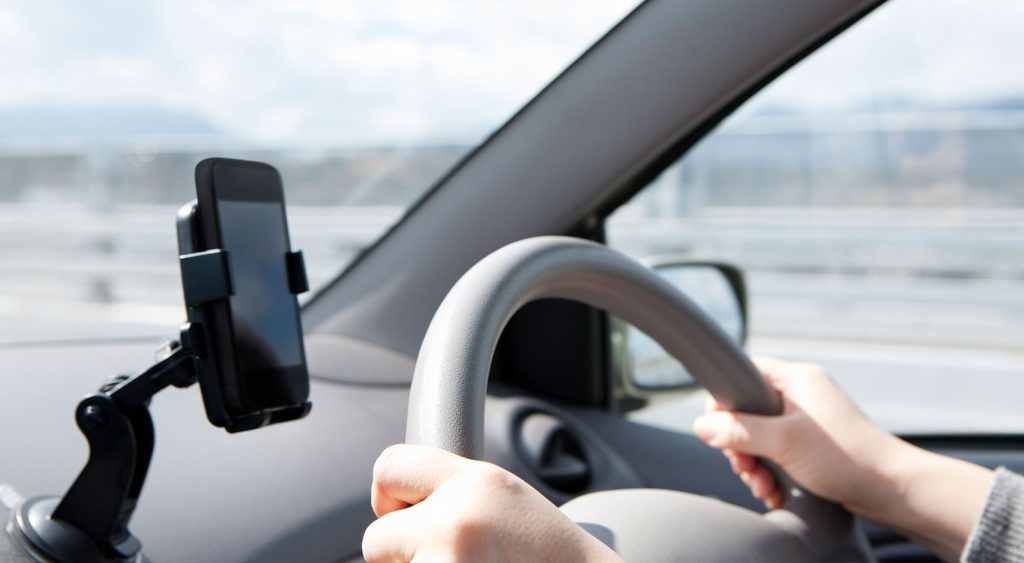
What does this mean under SA’s phone laws? Unlike the previous two examples, using a mobile phone as a navigation aid can be done while the car is moving (unless you’re a L or P1 licence holder), but only under specific conditions.
The Australian Road Rules state that you can use your phone as a navigational tool while moving, but only if it’s secured in a proper mount and you can’t touch or tap any part of the phone or screen at any point while driving.
4. To make or receive an audio call
The car-phone was the original mobile phone, with technology so large it needed a vehicle to make and take calls transportable. Today, it’s still possible to use your phone to make or receive an audio call while driving, but only under certain circumstances.
- If your phone is securely mounted in a cradle attached to the vehicle, you may touch it to accept or end a call
- If your phone isn’t mounted (say, in your centre console or pocket) you may still make or receive an audio call without touching the phone. For example, you can use Bluetooth or voice activation. You can’t hold or look at the phone, rest it on your body (including your lap) or press or manipulate it in any way.
A quick note on what audio call means. You can’t make video calls, read or write text messages, or scroll through social media. It’s best to pull over and park, so you can give your recipient your full attention.
Rules for learners and P1 licence holders
If you have a learner’s permit or are a P1 provisional licence holder, there are special rules. You can use a mobile function to: pay for goods and services or show a code or coupon, or show identification.
You can’t use a smartphone as a navigation tool, even mounted in a cradle, or use any phone function while the car is moving, like hands-free or Bluetooth.
And, like all other motorists on the road, you still can’t use it when stopped at traffic lights or stationary in traffic.
Want to know more about mobile phone rules?
Our team of Road Safety experts are here to help.